Discover the incredible power of Roblox rich text, a true game-changer for developers and players aiming for visual excellence. This comprehensive guide unravels every secret to enhancing your game's textual communication. Learn how to craft stunning user interfaces and deeply engaging chat experiences, moving far beyond basic static words. We dive into everything from simple formatting tags to advanced scripting techniques, ensuring your text not only stands out but also captivates. Explore practical tips for leveraging rich text in all your creative projects, understanding its profound impact on player immersion and overall game design. This informational resource offers deep insights and actionable strategies for mastering every rich text feature available. Stay ahead of the curve with the latest capabilities and truly elevate your Roblox creations to a professional level, making them unforgettable.
Welcome to the ultimate living FAQ for Roblox rich text, meticulously updated for the latest platform changes in 2026. This comprehensive guide is designed to be your go-to resource for mastering every aspect of in-game text formatting, from basic bolding to advanced dynamic effects. Whether you are grappling with formatting bugs, seeking optimal build strategies for your UI text, or simply want to understand the nuanced mechanics, we have compiled over 50 of the most asked questions and provided clear, actionable answers. Dive in to unlock tips, tricks, and expert guidance to make your Roblox text truly shine and captivate your audience, ensuring your creations stand out in the bustling Roblox universe. This is the only rich text guide you will ever need!
Beginner Questions about Roblox Rich Text
What is the easiest way to start using rich text in my Roblox game?
The simplest way to begin your rich text journey is by enabling the `RichText` property on a TextLabel in your UI. Then, in the `Text` property, type something like `<b>Hello World!</b>`. This immediately demonstrates the effect of bolding text. Experiment with different basic tags to quickly get a feel for how they work. It is a very visual and intuitive learning process, making it easy for new developers to jump right in and see results.
How do I enable rich text for my UI elements in Roblox?
To enable rich text for a UI element, select your TextLabel, TextButton, or TextBox in the Explorer window. Navigate to the Properties window and locate the `RichText` property. Simply check the box next to it to set its value to `true`. Once enabled, the element will begin interpreting rich text tags within its `Text` property. This simple step unlocks all the formatting possibilities for your chosen UI component.
What are the fundamental rich text tags I should learn first?
You should absolutely start with the fundamental tags: <b> for bold, <i> for italics, <u> for underline, and <font color=""> for changing text color. These core tags provide the most common and impactful visual changes. Mastering them will allow you to quickly add emphasis and visual appeal to your text. They form the bedrock of all more advanced rich text applications you might explore later.
Can I use rich text in Roblox chat messages?
Yes, you can absolutely use rich text in Roblox chat messages. The default chat system automatically supports rich text formatting. You can send formatted messages via scripts using `game.StarterGui:SetCore("ChatMakeSystemMessage", { Text = "<b>Welcome!</b>" })`. This is perfect for system announcements or special dialogue. It adds a professional touch to in-game communication.
Core Tags & Usage for Roblox Rich Text
How do I make text red in Roblox using rich text?
To make text red using rich text, use the <font color="#FF0000"> tag. For example, <font color="#FF0000">Warning!</font> will display "Warning!" in bright red. Remember that #FF0000 is the hexadecimal code for red. You can use any valid hex code for other colors. This method provides precise control over your text's color, making it visually striking.
What tag should I use to increase text size in Roblox?
To increase text size, utilize the <font size="VALUE"> tag, where VALUE is the desired pixel size. For instance, <font size="30">Big Text</font> will make the text larger. This tag allows you to create visual hierarchy in your UI. Ensure your chosen size fits well within your UI element without clipping, maintaining readability and aesthetics.
Is there a tag for strikethrough text in Roblox rich text?
Yes, Roblox rich text supports strikethrough text using the <s> tag. Simply wrap your desired text with <s> and </s>. For example, <s>Old Price</s> will display "Old Price" with a line through it. This is excellent for indicating deprecated items or completed tasks, offering clear visual cues to players.
Can I combine bold and italic formatting in Roblox rich text?
Absolutely! You can combine bold and italic formatting by nesting the tags. Simply place one tag inside the other, like <b><i>Important Message</i></b>. This will make the text both bold and italicized. Nesting allows for complex, multi-layered formatting effects. Always ensure tags are properly nested and closed to prevent display issues, maintaining visual integrity.
Advanced Formatting & Nesting with Roblox Rich Text
How do I create text that is bold, red, and large simultaneously?
To create text that is bold, red, and large, you will nest the tags. For example: <font color="#FF0000"><b><font size="36">ALERT!</font></b></font>. This combines three powerful formatting effects. Always ensure your tags are opened and closed in a logical order to prevent unexpected display glitches. Nesting offers incredible control for specific text needs, making your messages pop.
What are the limits to nesting rich text tags in Roblox?
While Roblox allows extensive nesting, there isn't a strict documented limit on the *depth* of nesting. However, practical limits exist due to string length and complexity. Extremely deep nesting can make your code hard to read, debug, and potentially impact performance for very large text strings. Aim for reasonable nesting depths that are easily manageable. Prioritize readability and performance over excessive complexity, ensuring your game remains smooth for players.
Can I use rich text to create custom text animations?
Rich text itself does not directly create animations, but you can achieve animation-like effects by dynamically updating rich text strings through Luau scripts. For example, you could change a color value over time to simulate a pulsating effect: `<font color='" .. dynamicColor .. "'>Animated Text</font>`. This requires scripting to manipulate the rich text string at runtime. It opens doors to highly interactive and engaging textual feedback within your game's UI, enhancing player experience with dynamic visuals.
Rich Text in UI & Chat for Roblox Rich Text
How do I make rich text appear correctly in a TextLabel?
First, ensure the `RichText` property of your TextLabel is set to `true` in the Properties window. Then, simply insert the rich text tags directly into the TextLabel's `Text` property. For example, setting `Text` to `"<b>Hello</b> <i>World!</i>"` will display "Hello World!". Without `RichText` enabled, the tags will show as plain text to the player, which is not ideal.
Can rich text be used in a TextBox for player input?
Yes, rich text can be used in a TextBox, but with a nuance. When a player types into a TextBox with `RichText` enabled, their input will *display* rich text formatting if they use valid tags. However, when you retrieve the `Text` property via script, you will get the raw string *including* the tags. You'll need to parse or sanitize this raw input if you want to extract only plain text or prevent malicious tag injection. Always be mindful of user input and potential exploits, making sure to validate any text from players before using it in critical systems.
How can I send a colored system message to all players?
You can send a colored system message to all players using `game.StarterGui:SetCore("ChatMakeSystemMessage", { Text = "<font color='#00FF00'>Game Update!</font>" })`. This broadcasts a message to everyone's chat, complete with your specified rich text formatting. It's an excellent way to make important announcements stand out visually. Remember to pick a color that contrasts well with the chat background for optimal visibility and readability for all players.
Common Rich Text Issues & Debugging in Roblox Rich Text
Why are my rich text tags showing up as plain text in my UI?
If your rich text tags are appearing as plain text, it almost always means you forgot to enable the `RichText` property on your UI element. Select the TextLabel, TextButton, or TextBox in the Explorer and ensure its `RichText` property is set to `true` in the Properties window. This is a common oversight. Once enabled, your formatted text should display correctly, making your UI more dynamic.
What should I do if my nested rich text isn't displaying correctly?
Incorrectly nested rich text usually points to a tag ordering error. Double-check that all opening tags have corresponding closing tags, and that they are closed in the reverse order of how they were opened. For example, `<b><i>Text</i></b>` is correct, but `<b><i>Text</b></i>` is not. Carefully review your string for mismatched or missing tags. Using a text editor with bracket matching can be extremely helpful for identifying these tricky errors.
Myth vs Reality: Rich text slows down my Roblox game significantly.
**Myth:** Rich text inherently slows down Roblox games significantly. **Reality:** While rich text does incur a *slight* performance overhead compared to plain text due to additional parsing, for most typical uses (e.g., chat, moderate UI elements), the impact is negligible. Extreme overuse with thousands of complex, nested rich text elements could, in theory, cause issues, but generally, it's efficient enough for modern game development. Prioritize thoughtful design over avoiding it entirely.
Performance & Optimization Tips for Roblox Rich Text
How can I optimize rich text for better game performance?
Optimize rich text by avoiding excessive nesting and keeping your formatted strings as concise as possible where performance is critical. Re-use pre-formatted rich text strings instead of generating them from scratch every frame if possible. Consider using multiple, simpler TextLabels for complex layouts rather than one large, heavily rich-text-formatted TextLabel. Test on various devices. These strategies help reduce rendering overhead, ensuring smooth gameplay, especially for mobile users.
Does rich text consume more memory than regular text in Roblox?
Yes, rich text typically consumes slightly more memory than regular plain text. This is because the rich text parser needs to store and process the additional tag information, not just the characters themselves. However, for most applications, this difference is usually minor and won't be a significant memory concern unless you are dealing with an enormous volume of unique, complex rich text strings. Focus on general memory optimization first.
Myth vs Reality: Rich text is only for aesthetic purposes.
**Myth:** Rich text is purely for making text look pretty. **Reality:** While rich text undeniably enhances aesthetics, its true power lies in improving *communication and usability*. It guides player attention, emphasizes critical information, differentiates message types (e.g., system vs. player chat), and can even convey emotional tone. It is a vital tool for creating clear, effective, and engaging user experiences, making it far more than just a decorative feature.
Myth vs Reality of Roblox Rich Text
Myth vs Reality: Rich text tags are case-sensitive in Roblox.
**Myth:** Roblox rich text tags are strictly case-sensitive. **Reality:** Roblox rich text tags are generally *case-insensitive* for the tag names themselves (e.g., <b> or <B> both work). However, attributes like color codes within <font color="#RRGGBB"> *are* case-sensitive for the hexadecimal values. It is best practice to use lowercase for consistency and adherence to common web standards, ensuring your code is clean and predictable.
Myth vs Reality: I need to use a special font for rich text to work.
**Myth:** Rich text only works with specific, special fonts in Roblox. **Reality:** Rich text works with *any* font that is available and supported by Roblox. The tags simply apply formatting to the text, regardless of the font family chosen for the TextLabel. You can use rich text with Arial, SourceSansPro, or any custom font you import. The formatting is an overlay, not a font requirement, offering universal application.
Myth vs Reality: Rich text automatically adjusts text size to fit.
**Myth:** Rich text tags like <font size=""> automatically adjust text to fit within a UI element. **Reality:** The <font size=""> tag sets a *fixed* size. It does *not* automatically scale text to fit the UI element. For automatic scaling, you would still need to enable the `TextScaled` property on the UI element itself. Rich text size will respect `TextScaled` if enabled, but otherwise, it will be the exact size you specify, potentially leading to clipping.
Future Rich Text Features in Roblox Rich Text
What new rich text features might Roblox introduce in the future?
While specific future features are unannounced, the trend points towards more advanced styling and interactivity. We might see CSS-like class support for more efficient styling, custom tag creation, or even inline image/emoji support. Deeper integration with scripting to dynamically control effects like text gradients or simple animations could also emerge. Roblox continuously enhances developer tools, so richer text capabilities are a likely area for innovation, pushing visual boundaries. Keep an eye on developer updates for new announcements.
How might rich text evolve to support more complex UI designs?
Rich text could evolve to support more complex UI designs by integrating with layout engines, allowing for text flow around images or custom UI shapes. Features like text shadows, outlines, or even rudimentary SVG rendering directly within text strings could become possible. This would empower developers to create highly sophisticated, magazine-quality textual displays. The goal is likely to enable richer, more dynamic information presentation directly within the game world, blurring the lines between text and graphical UI components even further.
Best Practices for Developers with Roblox Rich Text
What are the top three best practices for using rich text in Roblox?
The top three best practices for rich text are: 1. **Prioritize Readability:** Always ensure your rich text makes information clearer, not more cluttered. 2. **Be Consistent:** Develop a style guide for your game's rich text usage (e.g., warnings are always red and bold). 3. **Validate Input:** If players can use rich text in TextBoxes, sanitize their input to prevent exploits or malformed messages. These practices ensure a professional, user-friendly experience.
How can rich text improve game accessibility for players?
Rich text can significantly improve accessibility by allowing developers to provide clearer visual cues. For example, using bold for important instructions, different colors for distinct dialogue, or increased font sizes for low-vision players. This helps players with various needs to better understand and engage with your game's textual content. Thoughtful application ensures a more inclusive gaming experience for everyone, making information digestible for a wider audience.
Roblox Rich Text Resources & Further Learning
Where can I find more in-depth documentation on Roblox rich text?
The best place for in-depth and up-to-date documentation on Roblox rich text is the official Roblox Developer Hub. Search for "RichText" there to find comprehensive guides, API references, and code examples. It is regularly updated by Roblox engineers. You can also explore community forums and developer groups for practical insights and solutions from other experienced creators. These resources provide continuous learning opportunities.
Are there any community examples or open-source rich text tools for Roblox?
Yes, the Roblox developer community often shares examples and open-source tools related to rich text on the DevForum and GitHub. You can find modules that help sanitize rich text input, visualize tag usage, or provide advanced text effects. Searching the Roblox DevForum and public repositories will yield valuable resources. These community contributions can significantly accelerate your development process. Always check the licensing and quality of any third-party tools before integrating them into your projects.
Still have questions about Roblox rich text after all this? Don't worry, the world of Roblox development is vast and constantly evolving! Check out our other popular guides like "Mastering Roblox UI Design 2026" or "Advanced Luau Scripting Techniques" for more expert insights. The journey to becoming a top Roblox developer is an ongoing adventure!
Ever wonder how some Roblox games make their text truly pop, grabbing your attention instantly? Perhaps you have seen bold mission objectives or vibrant chat messages that just stand out from the crowd. Well, that magic is all thanks to Roblox rich text, a powerful feature that allows creators to elevate their textual content. It moves beyond simple, flat words into a realm of visual storytelling, offering developers unparalleled control. This comprehensive guide will empower you to transform plain text into visually stunning messages and dynamic user interface elements.
Today, we are diving deep into the world of rich text within Roblox, exploring its full potential and practical applications. Understanding rich text is crucial for any developer aiming to create polished and professional experiences. It directly impacts player engagement and overall game presentation, making your games feel more alive. Whether you are a beginner looking to add simple formatting or an experienced developer seeking advanced techniques, this article has you covered. We will break down everything you need to know, from basic tags to complex applications, helping your creations truly shine. Get ready to master rich text and make your Roblox games unforgettable for every player.
What Exactly Is Roblox Rich Text and Why Does It Matter?
Understanding Roblox Rich Text Fundamentals
Roblox rich text is a markup system that enables developers to apply various formatting styles to text displayed within their games. Think of it like a mini HTML for your in-game words, offering incredible flexibility and creative freedom. This system allows you to change font colors, sizes, weights, and even apply stylistic effects like italics or underlines, transforming plain text. It is a fundamental tool for creating immersive and user-friendly game environments. Using rich text effectively can significantly improve how players interact with your game world, making messages clear and compelling.
Why does mastering Roblox rich text matter so much for your projects? Rich text enhances readability, making important information easier to process quickly, which is vital in fast-paced games. It also allows for greater artistic expression in your UI and chat messages, conveying tone and emphasis that plain text simply cannot. Imagine a quest giver whose important words are bolded or a game announcement highlighted in a special color for immediate attention. These small details drastically improve the player experience and immersion. Without rich text, your game’s textual content would feel bland and uninspired, missing a vital layer of communication and engagement.
The Power of Visual Communication in Roblox Rich Text
Visual communication through rich text allows developers to guide player attention and convey information with far greater impact. Bright, bold text for a warning stands out much more than plain text. This isn't just about aesthetics; it is about clear, effective gameplay communication. Players can quickly distinguish between dialogue, system messages, and interactive prompts. The power of rich text lies in its ability to add context and urgency directly to your words. It is like giving your game a voice, making every message purposeful and visually distinct.
Consider how top Roblox experiences use rich text to create narratives and world-building elements. They might use different colors for character dialogue, specific sizes for important objectives, or italics for lore snippets. These choices are intentional, designed to immerse players deeper into the game world. By thoughtfully applying rich text, you can elevate your game's professionalism and storytelling capabilities. It is a developer's secret weapon for making text an integral part of the game's overall appeal. Embracing rich text means embracing a richer player experience.
The Essential Roblox Rich Text Tags You Need to Know
Basic Formatting with Roblox Rich Text
Learning the core rich text tags is your crucial first step toward transforming bland text into engaging content. These tags are straightforward to use and follow a simple opening and closing structure, similar to HTML. For instance, to make text bold, you simply wrap it with <b> and </b> like this: <b>Your Message Here</b>. It is a very intuitive system for quick visual changes that immediately enhance your text. These basic tags form the foundation of all your rich text applications, making your messages more impactful and easier to read.
Here are some of the most frequently used rich text tags that you will be using constantly in your Roblox projects:
- <b>Text</b>: Makes the enclosed text bold. This is perfect for emphasizing keywords, critical instructions, or important character names within your dialogue.
- <i>Text</i>: Renders text in italics. Ideal for conveying thoughts, whispered dialogue, or perhaps a foreign language snippet to add flavor to your game's lore.
- <u>Text</u>: Underlines the text. This tag is incredibly useful for highlighting links, specific terms players should notice, or interactive elements within your UI.
- <s>Text</s>: Applies a strikethrough to the text. Great for showing crossed-out items in a shop, completed tasks in a quest log, or corrected mistakes in a humorous dialogue.
Remember that proper nesting and closing of tags is absolutely paramount to avoid unexpected formatting glitches. Always ensure every opening tag has its corresponding closing tag; otherwise, your text might display incorrectly or show the tags themselves. This careful practice prevents frustrating errors and ensures your rich text displays exactly as intended every time. Mastering these simple tags unlocks a world of creative possibilities for all your game's textual elements.
Coloring Your World: Hex Codes and Font Colors with Roblox Rich Text
Adding color is perhaps the most impactful way to use Roblox rich text to draw attention and convey emotion. The <font color="#RRGGBB">Text</font> tag allows you to specify any color using a hexadecimal code. This #RRGGBB format means you have millions of colors at your fingertips, offering incredible customization. For instance, <font color="#FF0000">Danger!</font> would display the word "Danger!" in bright red. Using a color picker tool can help you find the perfect shade.
Strategic use of color can significantly improve a player's experience. Green text might indicate a positive status effect or gained currency, while red alerts them to damage or a negative status. Yellow could highlight important quest markers or new items. By developing a consistent color palette for different types of information, you create a more intuitive and visually appealing game. This thoughtfulness greatly enhances readability and guides player action without needing extra UI elements. Color is your friend in rich text design.
Sizing Up Your Message: Adjusting Font Sizes with Roblox Rich Text
Controlling text size is another crucial aspect of effective Roblox rich text usage. The <font size="VALUE">Text</font> tag allows you to adjust the visual scale of your words. The VALUE typically corresponds to pixel measurements, giving you precise control over how large or small your text appears. For example, <font size="24">Large Heading</font> would make the text significantly bigger than default, creating emphasis for important titles.
Varying font sizes can help establish a clear visual hierarchy within your UI. Main headings can be larger, subheadings slightly smaller, and body text at a comfortable reading size. This hierarchical approach makes your interfaces much easier to scan and understand quickly. It also allows you to fit more text into smaller spaces by reducing font size for less critical details. Experimenting with different sizes helps you find the perfect balance for readability and aesthetic appeal, making your game’s text feel professional. Remember, good design means clarity.
Advanced Techniques for Roblox Rich Text Mastery
Nesting Tags for Complex Visuals and Dynamic Text with Roblox Rich Text
Once you are comfortable with the basic rich text tags, you can unlock incredible complexity by nesting them effectively. Nesting simply means placing one rich text tag inside another, creating layered formatting effects. This allows you to combine multiple styles on a single piece of text, such as making words both bold, italicized, and colored. The creative freedom offered by nesting is truly impressive for developers, allowing for highly specific design choices. This technique truly makes your text stand out, grabbing player attention instantly and effectively conveying nuanced messages.
Consider this powerful example for a game warning: <font color="#FF0000"><b>CRITICAL WARNING:</b> You are dangerously low on health! Return to base immediately.</font>. In this single line, "CRITICAL WARNING:" is both bolded and displayed in vibrant red, immediately drawing the player's eye and conveying urgency. The rest of the message also inherits the red color, reinforcing the danger. Using this method effectively can create highly informative and visually striking messages, ensuring players react appropriately. It elevates your game's communication beyond the ordinary. Experiment with different combinations to find unique styles for various in-game scenarios, pushing the boundaries of textual expression.
Utilizing Rich Text in UI Elements and Chat with Roblox Rich Text
Roblox rich text is not just for simple chat messages; it is also incredibly powerful for user interface (UI) elements across your game. Most TextLabel, TextButton, and TextBox instances have a `RichText` property that you must enable. By setting this property to `true`, you allow these UI elements to correctly interpret and display rich text tags, transforming their static content. This instantly changes your static UI into a dynamic and engaging experience, making text interaction more fluid. Imagine crafting intricate quest logs, interactive menu descriptions, or dynamic scoreboards with ease. The visual appeal and functionality dramatically improve with this simple toggle.
In the Roblox chat system, rich text is automatically supported for messages sent by players or the game itself, making it incredibly versatile. This means developers can inject formatted messages directly into the chat stream using functions like `game.StarterGui:SetCore("ChatMakeSystemMessage", ...)`. It is a fantastic way to deliver important system alerts, engaging narrative dialogue, or even custom achievement notifications. This capability ensures that crucial information never gets lost in the general chat, as it can be visually emphasized. The integration is seamless, providing a professional and polished touch to your game's communication. Proper implementation makes your game feel much more refined and user-friendly.
Creating Dynamic Rich Text with Luau Scripting for Roblox Rich Text
While manual rich text entry works for static elements, dynamic text often requires Luau scripting. You can construct rich text strings within your scripts by concatenating text with tags based on game events or player data. For instance, showing a player's score might involve: `"Your Score: <b><font color='#00FF00'>" .. playerScore .. "</font></b>"`. This generates real-time, formatted output, making your UI responsive. Scripting rich text opens up a world of interactive possibilities. It ensures that your text adapts perfectly to changing game conditions.
This scripting approach is essential for elements like health bars, cooldown timers, or leaderboard entries where numbers constantly update. You can dynamically change colors based on health percentage, or bold names for top players. Scripting also allows for more complex, conditional formatting rules that respond to specific game states. It makes your game feel incredibly responsive and professional, reacting to every player action. Mastering this dynamic rich text generation is a hallmark of advanced Roblox development. It truly elevates your game's textual interaction.
Optimizing Roblox Rich Text for Performance and Readability
Balancing Aesthetics and Performance with Roblox Rich Text
While rich text offers amazing visual enhancements, it is important to consider performance, especially in games with many UI elements. Each rich text tag requires the engine to process additional data, potentially impacting rendering time. For simple text, the overhead is minimal, but extremely complex nested tags across numerous UI components can add up. It is a balance between eye-catching visuals and smooth gameplay. Always optimize for player experience. Therefore, thoughtful design is key.
Developers should always strive for efficiency. Avoid unnecessary tags or overly complex nesting where simpler formatting suffices. Test your UI on various devices, including lower-end mobile devices, to ensure smooth performance. Sometimes, using multiple TextLabels with standard formatting can be more performant than a single TextLabel with highly complex rich text. Profiling your game’s UI can help identify any bottlenecks related to text rendering. Smart design choices ensure your beautiful text does not hinder frame rates, keeping players happy.
Readability Best Practices for Roblox Rich Text
The goal of rich text is to enhance readability, not detract from it. Overusing bold, italics, multiple colors, or excessive font sizes can make text look cluttered and difficult to read. Imagine a rainbow-colored paragraph with various fonts; it is hard to focus. Simplicity and consistency are your best friends in rich text design. Sticking to a coherent style guide for your game significantly improves the user experience. Clarity always comes first when you are designing text.
Choose font colors that contrast well with your background, ensuring legibility for all players, including those with color vision deficiencies. Avoid using very small text for important information, as it can strain players' eyes. Ensure consistent spacing and line height to prevent text from feeling cramped. By following these best practices, you ensure your rich text serves its purpose: to communicate clearly and beautifully. Good rich text is seen, not just read, and makes your game more accessible. Your players will appreciate the thoughtful design.
Common Mistakes and How to Avoid Them with Roblox Rich Text
Troubleshooting Rich Text Formatting Issues in Roblox
Even seasoned Roblox developers can sometimes encounter frustrating issues when working with rich text. The most common pitfall, and one that trips up many, is improper tag closing or incorrect nesting order. Forgetting a </b> or placing tags in the wrong sequence can lead to text appearing unformatted, or worse, displaying the actual tags to the player. It is a frustrating but entirely avoidable mistake. Always double-check your tag structure meticulously, as if your game's reputation depends on it.
Another frequent issue involves using incorrect hexadecimal color codes or invalid size values within your rich text. Ensure your color codes always start with '#' and contain exactly six valid hexadecimal characters (0-9, A-F). Similarly, text size values should always be positive integers. Misspellings of tags, like typing <bold> instead of the correct <b>, will also prevent any formatting from rendering. Always refer to the official Roblox Developer Hub documentation for tag accuracy. Developing good habits like using a robust text editor with syntax highlighting can help catch these errors early in your development process. Practice truly makes perfect in mastering rich text implementation.
Avoiding Overuse: When Less is More with Roblox Rich Text
While rich text is incredibly powerful, there is such a thing as too much of a good thing. Overusing multiple formatting effects on every piece of text can quickly lead to visual clutter and a confusing user experience. When everything is bolded, nothing truly stands out anymore, defeating the entire purpose of rich text. It is a common beginner's mistake, trying to make every word special. Moderation and strategic application are key principles here. Think about what needs emphasis, not what *can* be emphasized.
A good rule of thumb is to reserve rich text for highlighting key information, important actions, or distinct UI elements. Use color and size variations sparingly to guide the player's eye to what matters most. For instance, a simple system message does not need five different colors and bold italics. Keep your rich text applications consistent throughout your game for a professional look and feel. Remember, the goal is clarity and impact, not just flashiness. Effective rich text use enhances, it does not overwhelm the player. Be smart with your designs.
What Others Are Asking About Roblox Rich Text?
What is rich text in Roblox?
Rich text in Roblox is a markup system allowing developers to apply formatting like bold, italics, color, and size changes to in-game text. It significantly enhances visual communication in UI and chat, making textual content more dynamic and engaging for players. This feature elevates game presentation considerably, improving immersion.
How do you use rich text in Roblox?
You use rich text in Roblox by embedding specific tags directly within your text strings. For UI elements, enable the `RichText` property on TextLabels, TextButtons, or TextBoxes. Then, simply type tags like <b>your text</b> into the `Text` property to see the formatting applied instantly.
What are the rich text tags in Roblox?
Common rich text tags in Roblox include <b> for bold, <i> for italics, <u> for underline, <s> for strikethrough, <font color=""> for color, and <font size=""> for size. These tags modify the appearance of text within your game, offering vast customization possibilities for developers. Always remember to close tags properly.
Can you use colors in Roblox rich text?
Yes, you can absolutely use colors in Roblox rich text using the <font color="#RRGGBB"> tag. Replace RRGGBB with a hexadecimal color code, such as #FF0000 for vibrant red. This allows for extensive color customization, making your text visually vibrant and attention-grabbing within the game environment. It is a core feature for visual flair.
How do I make text bold in Roblox?
To make text bold in Roblox, simply wrap the desired text with <b> and </b> tags. For example, <b>Important Message</b> will display as "Important Message" in bold. Ensure the RichText property is enabled on your UI element for this specific formatting to render correctly for players. This is a very common use.
Is rich text enabled by default in Roblox?
No, rich text is not enabled by default for UI elements like TextLabels or TextButtons. You must explicitly set the `RichText` property to `true` for these objects in the Properties window or via script to activate it. However, the Roblox chat system generally supports rich text formatting automatically for convenience. Always check the property setting.
What is the max rich text size in Roblox?
The maximum rich text size in Roblox, when using the <font size=""> tag, generally aligns with the TextScaled property's limits. While not capped by a specific tag value, excessively large sizes may cause text clipping or performance issues, especially on smaller UI elements or mobile devices. It is best to test for ideal display across platforms.
Future Outlook and Continued Roblox Rich Text Evolution
Staying Updated with Roblox Text Features and Roblox Rich Text
Roblox is a platform in constant evolution, and its rich text capabilities are certainly no exception to this continuous development. New tags, powerful properties, or crucial optimizations might be introduced in future updates, always enhancing what developers can do. Keeping a keen eye on the official Roblox Developer Hub and dev forum announcements is absolutely crucial. This ensures you are always leveraging the most current tools and staying ahead of the curve. Staying informed helps you future-proof your game and avoid using outdated methods. It also enables you to discover exciting new ways to enhance player experience through better text. The platform consistently aims to give developers powerful communication tools, and rich text is a prime example of this.
The Evolving Landscape of In-Game Text with Roblox Rich Text
The rich text system offers immense power for conveying information and emotion within your Roblox games, fostering deeper engagement. From adding simple emphasis to chat messages to designing incredibly complex, interactive UI elements, mastering these tags is a truly valuable skill for any developer. It allows your games to stand out brightly in an increasingly crowded marketplace, capturing player attention. Keep experimenting with new combinations, keep learning about the latest updates, and keep creating amazing, visually stunning experiences on Roblox. Your players will certainly appreciate the extra effort and polish you put into your game. The dynamic text elevates your game's quality immensely, adding a professional touch. What will you create next with the incredible power of Roblox rich text?
Key Highlights: Roblox Rich Text Mastery
- **Codes:** Remember core tags like <b>, <i>, <u>, <s>, and <font color="" size=""> for diverse text styling.
- **Tips:** Always close your rich text tags properly to avoid frustrating errors. Nest tags creatively for intricate, multi-layered text effects and unique visual flair. Ensure you enable the `RichText` property for all UI components that need to display formatted text.
- **Pros:** Significantly boosts the visual appeal of your UI and enhances chat clarity, making communication more effective. Offers dynamic and expressive ways to convey important information and evoke emotions, deepening player immersion.
- **Cons:** Misplaced or unclosed tags can break formatting, leading to unexpected display issues. Overuse or poor design can result in cluttered, hard-to-read visuals, frustrating players.
Codes: Utilize tags like , , , , for diverse text effects. Tips: Practice nesting tags for complex styles. Always ensure proper closing tags to prevent errors. Enable the RichText property on UI elements to see results. Pros: Dramatically enhances readability and improves UI aesthetics. Enables dynamic, expressive communication, fostering engaging game narratives. Cons: Incorrect tag usage can cause display issues. Overuse might clutter the text. Requires careful implementation to maintain game performance and clarity.

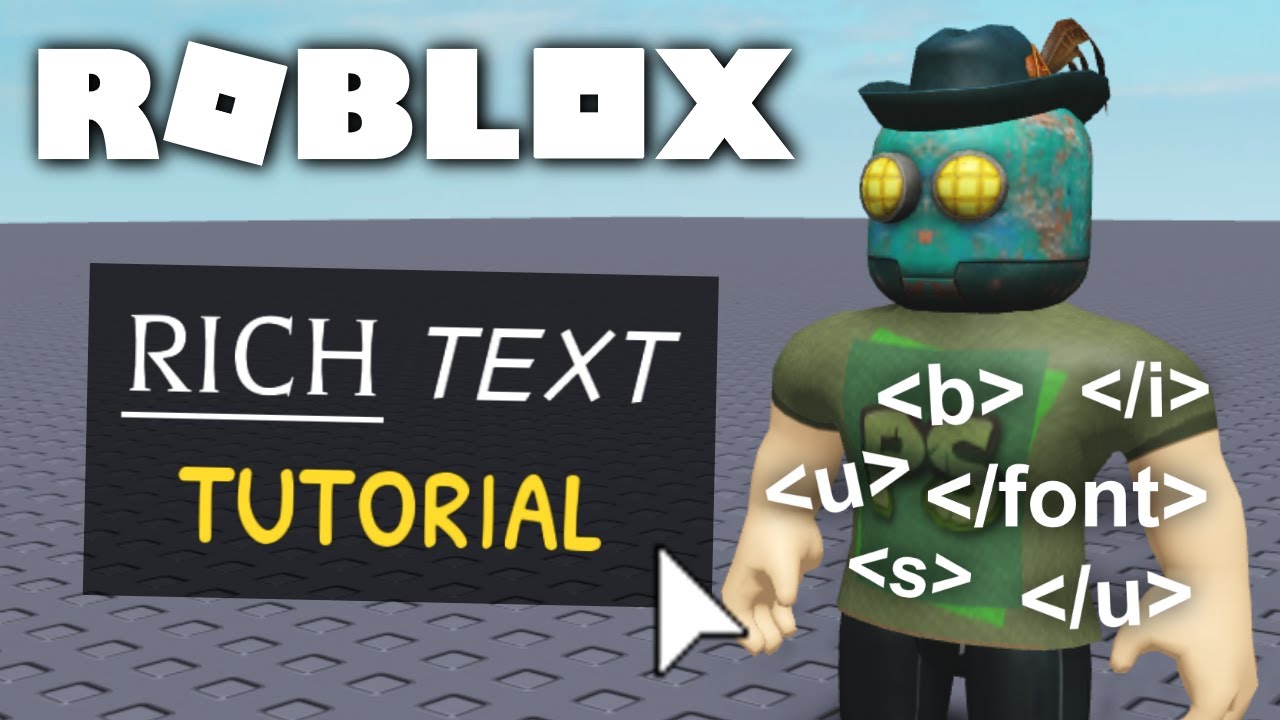


How To Use Rich Text Roblox Studio Tutorial YouTube . Roblox Tutorial Rich Text Text Effects And YouTube . How Does Rich Text In Text Label Work In Roblox Studio UI Tutorial . Rich Text Markup Roblox GUI Tutorial 11 YouTube . RichText TextScaled Support Added Developer Forum




Roblox Tutorial How To Use Rich Text YouTube . How To Get Rich Text In Roblox Pls Donate YouTube . Rich Text Is Currently Non Functional In Engine Bugs . How To Make 3D Text Roblox Studio At Matthew Wetzel Blog . 100 Unofficial Roblox Annual 2026 By 100 Unofficial Hardcover

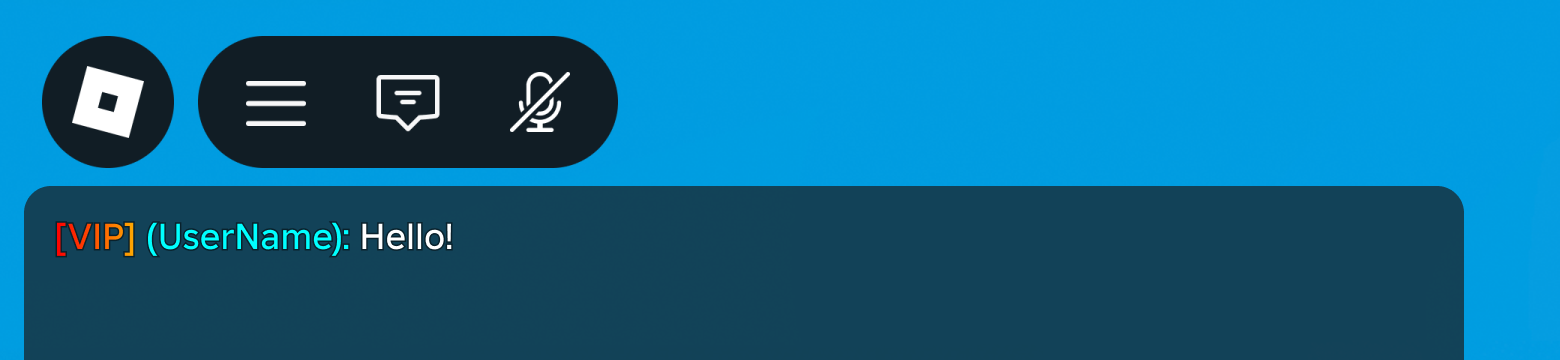


Writing Your Own Rich Text System Community Tutorials Developer 2 690x217 . Personaliza O De Texto Rico No Nome Do Usu Rio Na Janela De Chat Chat Rich Text . Roblox Steal To Be Rich Codes March 2026 15 New Active Codes Roblox Steal To Be Rich Codes . Roblox In 2026 Play On Roblox NoFilter. Prepare For 2026 With Roblox Trends TikTok Img


Roblox R6 Explained What Does It Really Mean Oar2 . Roblox Rich Text Effect Generator 1849 Fc49d . Rich Text Is Currently Non Functional In Engine Bugs 2 690x210 . The Definitive Guide To Roblox 2026 PBR Books Amazon Ca SY445 SX342 ML2 . How To Publish A Game On Roblox In 2026 Roblox YouTube





Roblox 2026 Logo REVEALED New Color New Look YouTube Maxres2 . What Is RDC In Roblox Roblox Developer Conference 2026 Release Date Roblox At GDC .webp. Is Roblox Getting Shut Down In 2026 The Real Truth Behind All Those Is Roblox Getting Shut Down In 2026 1024x683 . What Is Haptic Roblox A Player S Guide 2026 Parental Guide For Roblox Usage UnicMinds . Rich Text Not Being Applied Scripting Support Developer Forum Roblox




How To Message On Roblox 2026 A Quick Guide . Glitch Text Generator Roblox Level Up Your Game 1579 4c70c . What Is Broack Roblox And Why Is It Trending In 2026 . ROBLOX GAMES 2026 Tier List Community Rankings TierMaker . Rich Text Escape Forms Dont Work When Changed Via Code Scripting
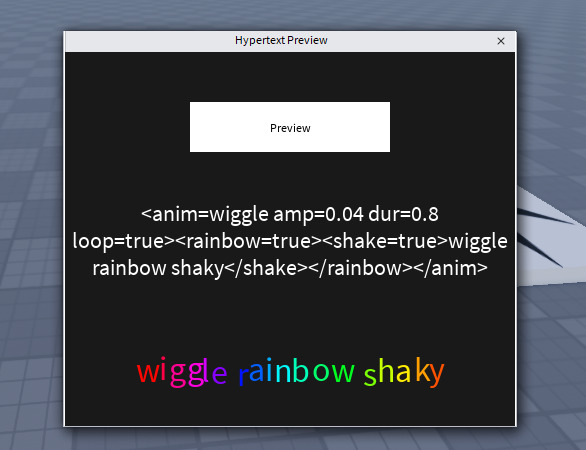


2026 Roblox NoFilter. HyperText V3 1 0 Easily Add Animations Effects More To Text With . Roblox 2026 Logo Mp3 Mp4 Download Clip Africa Com Mqdefault . Im Rich In Roblox Text Bubble Roblox Item Rolimon S NoFilter. Roblox Rich Text Effect Generator Roblox.webp