Discover if Roblox is available on PlayStation consoles right now, and how to get started if it is. This comprehensive guide addresses common gamer questions about playing Roblox on PS4 and PS5, covering everything from installation and cross-play to performance tips and in-game purchases. For US gamers balancing life and play, understanding platform availability for popular titles like Roblox is crucial. We cut through the noise, providing clear, actionable information so you can spend less time searching and more time gaming. Learn about the seamless integration of your existing Roblox account, parental controls for younger players, and what to expect regarding game performance. This resource is designed for the modern gamer who values practical advice and wants to stay current without the hype. Get ready to explore millions of user-created experiences directly from your PlayStation, connecting with friends across different devices and discovering new worlds without hassle. We aim to answer your burning questions about Roblox on your favorite Sony console, ensuring you're fully equipped to dive in.
Related gamesHow do I install Roblox on my PlayStation console?
Installing Roblox on your PlayStation 4 or PlayStation 5 is straightforward. Simply navigate to the PlayStation Store from your console's main menu. Use the search function to look for "Roblox." Once you find the official Roblox application, select it and choose "Download" or "Add to Library." The game is free to download, though it does contain in-app purchases for Robux, the virtual currency. Ensure you have a stable internet connection for a smooth download and installation process.
Is a PlayStation Plus subscription required to play Roblox online?
No, a PlayStation Plus subscription is not required to play Roblox online. Roblox is a free-to-play game, and like many other free-to-play titles on PlayStation, it does not gate its online multiplayer features behind a PS Plus membership. You can dive into countless experiences and connect with friends online using just your internet connection and a PlayStation Network account.
Can I use my existing Roblox account on PlayStation?
Yes, you can absolutely use your existing Roblox account on your PlayStation console. When you first launch the Roblox application on your PS4 or PS5, you'll be prompted to either log in with an existing account or create a new one. Simply enter your usual Roblox username and password to link your account. This means all your Robux, purchased items, and friend list will be accessible on your PlayStation, ensuring a seamless experience across platforms.
What kind of games are available on Roblox for PlayStation?
The PlayStation version of Roblox offers access to a vast library of experiences, similar to other platforms. You'll find a wide array of user-generated games, from adventurous role-playing games and competitive simulators to casual hangouts and creative building experiences. Popular genres include obbies (obstacle courses), tycoon games, social hubs, and even horror games. The content available is constantly updated by the global Roblox creator community, ensuring there's always something new to explore.
Are there parental controls available for Roblox on PlayStation?
Yes, PlayStation offers robust parental control features that can be applied to the Roblox application, and Roblox itself has in-game safety settings. Through your PlayStation console's system settings, you can manage screen time, restrict content based on age ratings, and control spending on in-game purchases. Additionally, within Roblox, parents can adjust chat filters, restrict private server access, and monitor account activity through the account settings, helping to create a safer environment for younger players.
What are the common performance issues with Roblox on PS and how to fix them?
Common performance issues on PlayStation include occasional lag, frame rate drops, and longer loading times, especially in graphically intensive or highly populated experiences. To mitigate these, ensure your console's software is updated, clear cache regularly, and ensure a stable internet connection, ideally wired. Closing other applications running in the background can also free up resources. For specific games, lowering in-game graphics settings if available can significantly improve performance.
How can I find friends and play with them on Roblox PlayStation?
Finding and playing with friends on Roblox PlayStation is integrated into the platform. Once you log in with your existing Roblox account, your friend list will sync. You can invite friends to join experiences or join them directly if they are already playing a game that supports your platform. Additionally, you can use the in-game search function to find friends by their Roblox username. Cross-platform play with friends on PC, Xbox, or mobile is also supported, making social gaming seamless.
For many US gamers, balancing a demanding job, family life, and personal commitments often leaves limited time for their favorite hobby. When you finally carve out an hour or two to unwind, you want to jump straight into the action without wrestling with compatibility issues or confusing setup guides. That's why the question, "Can you play Roblox on PS?" has become a significant query, particularly for those who love the platform's endless creativity and social experiences but prefer the comfort and power of their PlayStation console. After years of anticipation, the answer is a resounding yes!
Roblox has officially arrived on PlayStation 4 and PlayStation 5, opening up its vast universe of user-created games to a new legion of console players. No longer do you have to switch devices to join your friends in Blox Fruits or Adopt Me. This guide is crafted specifically for you, the adult gamer who appreciates straightforward answers, practical tips, and getting the most value out of their precious gaming time. We'll dive into everything you need to know, from downloading the game and understanding cross-play to optimizing performance and managing in-game purchases, ensuring your PlayStation Roblox experience is as smooth and enjoyable as possible.
Is Roblox officially available on PlayStation consoles right now?
Yes, absolutely! Roblox officially launched on both PlayStation 4 and PlayStation 5 in October 2023, making it readily available for millions of console players. You can download the application for free directly from the PlayStation Store. This has been a long-awaited development for the gaming community, especially considering that a staggering 87 percent of US gamers play regularly, often for 10 or more hours per week, seeking diverse experiences across all platforms. The PlayStation launch means you can now enjoy the full spectrum of Roblox adventures on your preferred Sony console.
What exactly is Roblox and why is it so popular with US gamers?
Roblox isn't just a single game; it's a massive online platform where users create and play millions of diverse games and experiences. Think of it as a virtual sandbox metaverse powered by its community. Its immense popularity stems from several factors: it's free-to-play, offers incredible creative freedom for developers, and provides an endless variety of content—from role-playing games and simulation titles to obstacle courses and social hangouts. For US gamers, its appeal lies in its social nature, allowing friends to connect and play together regardless of their preferred device, and its ability to offer quick, fun, and relaxing experiences perfect for unwinding after a busy day.
How does Roblox on PlayStation differ from other platforms?
The core Roblox experience on PlayStation is largely identical to what you find on PC, Xbox, or mobile. You'll access the same vast library of games, use your existing Roblox account, and interact with the same community. The primary difference lies in the input method—you'll be using your PlayStation DualShock or DualSense controller instead of a keyboard/mouse or touch screen. The console version also benefits from the PlayStation's hardware, potentially offering smoother performance and better graphics in some experiences compared to older mobile devices. However, the fundamental gameplay and content remain consistent, ensuring a familiar experience.
Can PlayStation players cross-play with friends on PC, Xbox, or mobile?
One of the biggest strengths of Roblox, and a key factor for its social gaming appeal among US players, is its robust cross-platform play. Yes, PlayStation players can absolutely cross-play with friends on PC, Xbox, mobile devices, and any other supported platform. This seamless integration means you can easily join your buddies in their favorite Roblox worlds, regardless of what device they're using. For gamers who juggle different platforms and value social connections, this feature is a huge win, fostering community and making it easier to connect with friends and family.
What are the system requirements for playing Roblox on PS4 or PS5?
Playing Roblox on your PlayStation 4 or PlayStation 5 is quite accessible. For **PS4**, you'll need a console with the latest system software updates installed and an active internet connection. For **PS5**, similarly, ensure your system software is up-to-date and you have a stable internet connection. Roblox itself is a free download and doesn't demand excessive storage space, though individual experiences within Roblox can vary in size and complexity. Generally, if your PlayStation console is functioning well and connected online, you're all set to download and play.
Are there any performance tips for playing Roblox on PlayStation?
While Roblox is generally well-optimized, some graphically intensive or highly populated experiences can occasionally strain your PlayStation's resources. Here are some tips for smoother gameplay:
Ensure Stable Internet: A strong, wired Ethernet connection is always preferable to Wi-Fi for minimizing lag and disconnections.
Update System Software: Always keep your PS4 or PS5 system software updated to benefit from the latest optimizations.
Clear Cache: Periodically clear your console's cache. You can often do this by turning off the console completely (not rest mode), unplugging it for 30 seconds, and then restarting.
Close Other Applications: Make sure no other demanding games or applications are running in the background on your PlayStation.
Adjust In-Game Settings: If an experience offers graphics quality settings, try lowering them for improved frame rates.
These simple steps can significantly enhance your Roblox performance, especially when you're looking to relax and avoid technical headaches after a long day.
How do in-game purchases and Robux work on PlayStation?
Roblox uses a virtual currency called **Robux** for in-game purchases, such as avatar items, game passes, and special abilities. On PlayStation, you can purchase Robux directly through the PlayStation Store, linking it to your PlayStation Network account and preferred payment method. This integration makes transactions secure and straightforward. Remember, these are optional purchases, and many experiences can be enjoyed without spending real money. For parents, PlayStation's robust parental controls allow you to set spending limits or require passwords for any purchases, ensuring budget-friendly gaming and preventing accidental spending.
What are some popular Roblox games for PlayStation users?
The beauty of Roblox is its constantly evolving library. Many of the most popular experiences across all platforms are fully accessible on PlayStation. Some top trending games and experiences this month include:
Adopt Me!: A hugely popular pet simulation and role-playing game, perfect for social interactions and collecting.
Blox Fruits: An action-packed adventure game where players acquire powerful devil fruit abilities.
MeepCity: A social hangout and role-playing game, offering a vibrant virtual world to explore and customize.
BedWars: A competitive strategy game where teams protect their bed while trying to destroy others.
Murder Mystery 2: A suspenseful social deduction game where players solve a murder or try to get away with it.
These offer just a glimpse into the diverse content available, catering to various tastes from casual fun to skill-building challenges.
What are the social features for Roblox players on PlayStation?
Roblox thrives on social interaction, and the PlayStation version is no different. You can:
Add Friends: Easily add other Roblox users as friends, whether they're on PlayStation or other platforms.
Join Friends: See what games your friends are playing and join their experiences directly.
In-Game Chat: Utilize the in-game chat system to communicate with players within an experience. (Parental controls can moderate this).
Party Up: Form groups to play together, making cooperative or competitive gaming seamless.
For many adult gamers, Roblox offers a valuable space for casual social interaction, a chance to unwind with friends, or even build new connections, fulfilling that desire for community often found in gaming.
Is Roblox safe for younger players on PlayStation?
Ensuring a safe gaming environment is a top priority for parents, and both Roblox and PlayStation offer tools to help. Roblox itself has community standards, reporting features, and chat filtering. On PlayStation, you can leverage the console's robust parental controls to:
Set Age Restrictions: Limit access to games based on age ratings.
Manage Screen Time: Set daily play limits for children's accounts.
Control Spending: Require a password for purchases or set monthly spending caps on the PlayStation Store.
Restrict Communication: Manage communication settings within the PlayStation Network.
By utilizing these tools, parents can tailor the Roblox experience to be age-appropriate and secure, allowing younger family members to enjoy the creative platform responsibly.
What are the future plans for Roblox on PlayStation?
While specific future plans are often under wraps, the general trend for Roblox is continuous expansion and improvement. We can anticipate:
Performance Enhancements: Ongoing optimization updates to improve stability, frame rates, and loading times on PlayStation consoles.
Feature Parity: Efforts to bring more feature parity between platforms, ensuring the PlayStation experience is as rich as on PC or mobile.
Community Integration: Deeper integration with PlayStation's social features, potentially allowing for easier friend invites or party management.
New Experiences: As the creator community continues to innovate, new and exciting games will constantly emerge, many of which will be accessible on PlayStation.
Given the platform's commitment to growth and its massive user base, PlayStation players can look forward to an evolving and enhancing Roblox experience in the years to come.
Conclusion
The arrival of Roblox on PlayStation consoles is fantastic news for US gamers. It removes a common barrier, allowing you to enjoy one of the most popular and socially engaging platforms directly from your PS4 or PS5. Whether you're looking to relax with friends, explore new worlds, or simply unwind with some skill-building challenges after a long day, Roblox on PlayStation offers a convenient and accessible way to do so. With full cross-platform play, robust parental controls, and a continuously expanding universe of content, it's never been a better time to dive in. Forget the hype, focus on the fun.
What's your biggest gaming challenge when balancing life and play? Comment below!
FAQ Section
What devices can play Roblox?
Roblox is available on a wide range of devices, including PC (Windows, macOS), Xbox One and Xbox Series X/S, iOS and Android mobile devices, and now officially PlayStation 4 and PlayStation 5. This broad compatibility ensures that nearly everyone can access its vast library of user-created experiences.
Is Roblox free to download on PlayStation?
Yes, Roblox is completely free to download from the PlayStation Store. While the core application is free, it does include optional in-app purchases for Robux, the game's virtual currency, which can be used to buy items or access special features within various experiences.
How do I link my existing Roblox account to PlayStation?
When you first launch the Roblox application on your PS4 or PS5, you'll be given the option to either log in with an existing account or create a new one. Simply choose "Log In" and enter your standard Roblox username and password to seamlessly link your account and access all your progress and Robux.
Can I use a keyboard and mouse to play Roblox on PS?
Currently, Roblox on PlayStation primarily supports controller input. While some PlayStation games offer keyboard and mouse support, Roblox does not officially support or recommend using a keyboard and mouse for gameplay on consoles. You'll get the best experience using your DualShock or DualSense controller.
Are all Roblox games available on PlayStation?
Most of the popular and well-optimized Roblox experiences are available on PlayStation. However, due to platform specific technical requirements or developer choices, a very small percentage of experiences might not be fully compatible or optimized for console play. The vast majority of the Roblox catalog is accessible.
How often does Roblox update on PlayStation?
Roblox typically rolls out updates regularly across all platforms to introduce new features, improve performance, and fix bugs. These updates are usually managed automatically through your PlayStation console's system, ensuring you always have the latest version of the application without manual intervention.
Roblox is available on PlayStation 4 and PlayStation 5. Cross-platform play is supported allowing connections with PC, Xbox, and mobile users. Installation is free via the PlayStation Store. Existing Roblox accounts can be linked. Parental controls are robust for safer play. Performance tips for PS consoles are included.
35


Roblox On PS5 Is It Finally Happening Roblox On Playstation Feature Image . Which Roblox Games Shine Brightest On PS4 Roblox On Ps4 And Ps5 Heres A Guide To Help In Playing Game On Playstation Console . PS4 Roblox Fact Or Fiction Lets Chat . How To Play ROBLOX On PS5 EARLY RIGHT NOW YouTube . How Can You Play Roblox On PS5 PS4



How To Download Roblox On Firefox Robots Net How To Download Roblox On Ps4 1695562861 . Playing Roblox On PS1 PS2 PS3 PS4 YouTube . Can You Play Roblox In VR Today The 2026 Update . Lcs Schedule Asamigames Creative Game Development Studio Can You Play Roblox On Nintendo Switch 1024x669 . How Can You Play Roblox In 2026 And Beyond Roblox Xbox Can You Play Roblox On Xbox 1480 800 1.webp


Can You Play Roblox On Nintendo Switch Asamigames Creative Game Roblox Nintendo Switch . Guide To Roblox On PS5 2026 Settings Fixes 0 Roblox Ps . Guide To Roblox On PS5 2026 Settings Fixes Roblox Ps5 . Can You Access Roblox Everywhere In 2026 Roblox Switch . Can You Play Roblox On Epic Games Store Unpacking The Platforms 1200x1769


How To Publish A Game On Roblox In 2026 Roblox YouTube . Roblox On PlayStation The Big Question Roblox . Roblox On PS5 Is It Finally Happening Roblox Ps5.large . How To Get PS Plus Roblox Pack Twinfinite PS Plus Roblox Pack . Roblox On PS4 Is It Free Lets Find Out Roblox Ps5 Ps4 Release Date


How To Play ROBLOX On PLAYSTATION PS4 PS5 YouTube . Playing Roblox On PS5 YouTube . How To Play Roblox On PS5 PlayStation 4 Dexerto Roblox Login 1024x576 . Roblox Available Now On PlayStation Developer Forum 2 1024x576 . Can You Play Roblox On PlayStation Let S Find Out Playbite Can You Play Roblox On Playstation


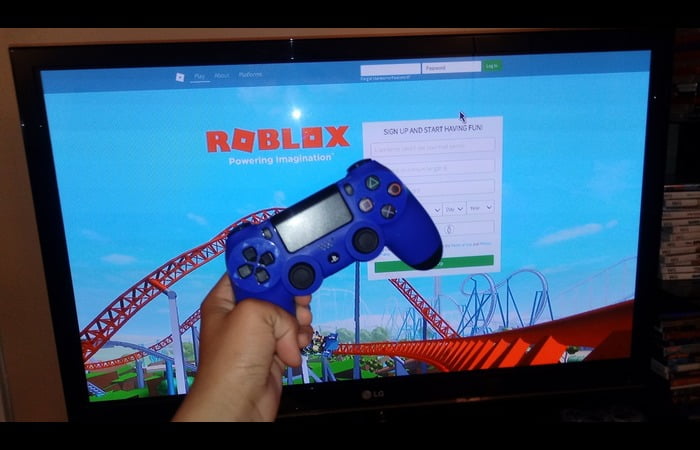
Can You Play Roblox In VR Today The 2026 Update . Roblox On PS4 Is It Free Lets Find Out How To Play Roblox On Ps4 Or. Can You Play Roblox In VR Today The 2026 Update . Roblox On PlayStation The Big Question Web Browser To Play Roblox On PS4 . Can You Play Roblox In VR Today The 2026 Update


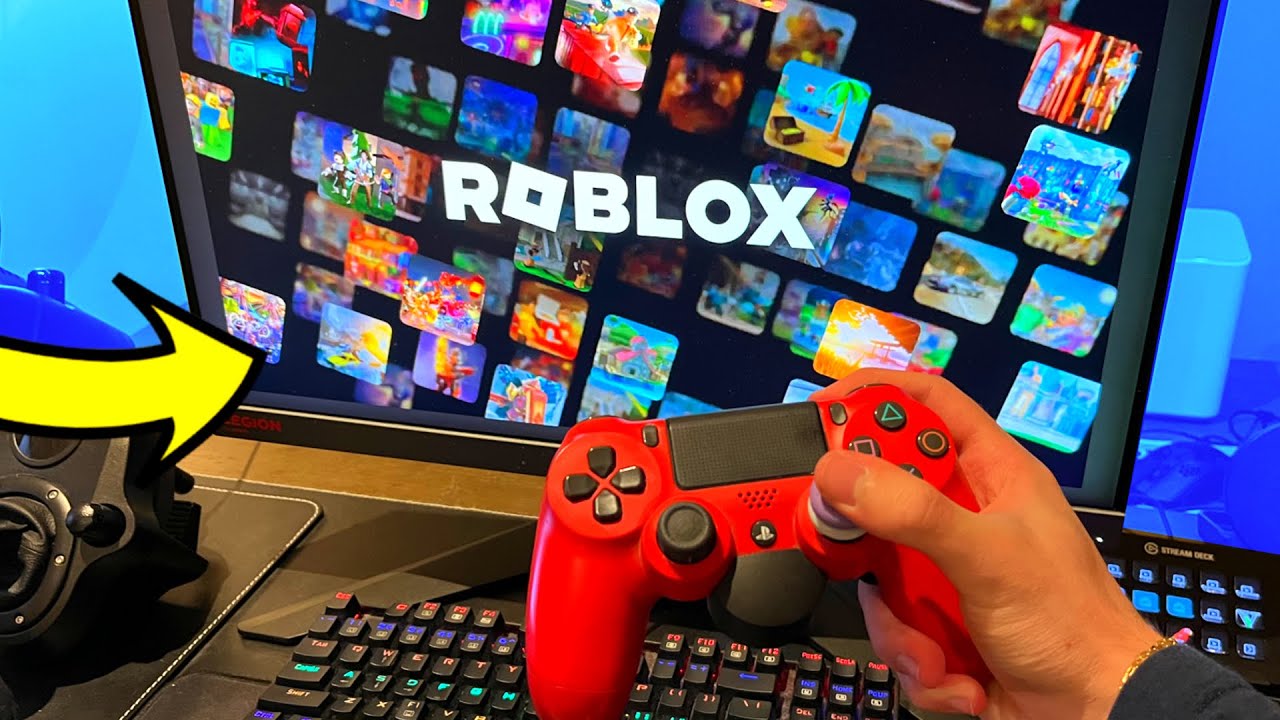

How To Play Roblox On PSP Updated 2025 YouTube . Can You Play Roblox On PlayStation YouTube . Playing Roblox On My PlayStation YouTube . How To Play Roblox On PS5 PlayStation 4 Dexerto Roblox Playstation Launch . Can U Play Roblox On Playstation JKJQJH Can You Play Roblox On PS4